Kanban is a visual, pull-based way to manage work: you lay your workflow out as columns, move cards across them, and cap how many items can be in progress at once. To define kanban in one line, it is a method for finishing work smoothly instead of starting everything at the same time.
Most guides to kanban are written for software teams. This one is written for freelancers and small studios who keep several clients, deadlines and follow-ups in their head. You will get a clear definition, the rules that make a board work, a short history, a fair comparison with scrum, and a board you can build in ten minutes.
What is kanban? A plain-language way to define kanban
Kanban is a strategy for improving how work flows through a process. It rests on three practices used together: defining and visualizing the workflow, actively managing the items inside it, and improving it over time. A board is the tool. The strategy is the rules you follow on the board.
That framing comes from The Kanban Guide, written by John Coleman and Daniel Vacanti and published on May 1, 2025. Scrum.org's Kanban Guide for Scrum Teams describes the same idea as a visual, WIP-limited pull system. Kanban University adds that its Kanban Method is meant to be layered onto the way you already work rather than replace it.
The word itself is Japanese, built from kan and ban, and is usually translated as "signboard" or "visual signal." That origin explains the core idea: a card on a board is a signal that tells you what to pull next.
This is also why a plain to-do list is not kanban. A to-do list shows tasks. A kanban system also defines where work starts and finishes, limits how much can be active, and writes down the policies for moving a card.
Where kanban came from
Kanban began in manufacturing. Taiichi Ohno, an industrial engineer at Toyota, built the pull system on Kiichiro Toyoda's just-in-time idea and Sakichi Toyoda's jidoka automation principle. Ohno modeled production signals on how American supermarkets restock shelves based on what shoppers actually take. Toyota trialed the card system in its Honsha machine shop in 1953 and extended it company-wide by 1962. Sugimori and colleagues published the first English account in 1977, and Ohno's Toyota Production System appeared in 1978 in Japanese and 1988 in English. David J. Anderson later adapted kanban to knowledge work, first with a team at Microsoft in 2004 and then at Corbis in 2006, and set out the approach in his 2010 book Kanban: Successful Evolutionary Change for Your Technology Business.
How a kanban board works
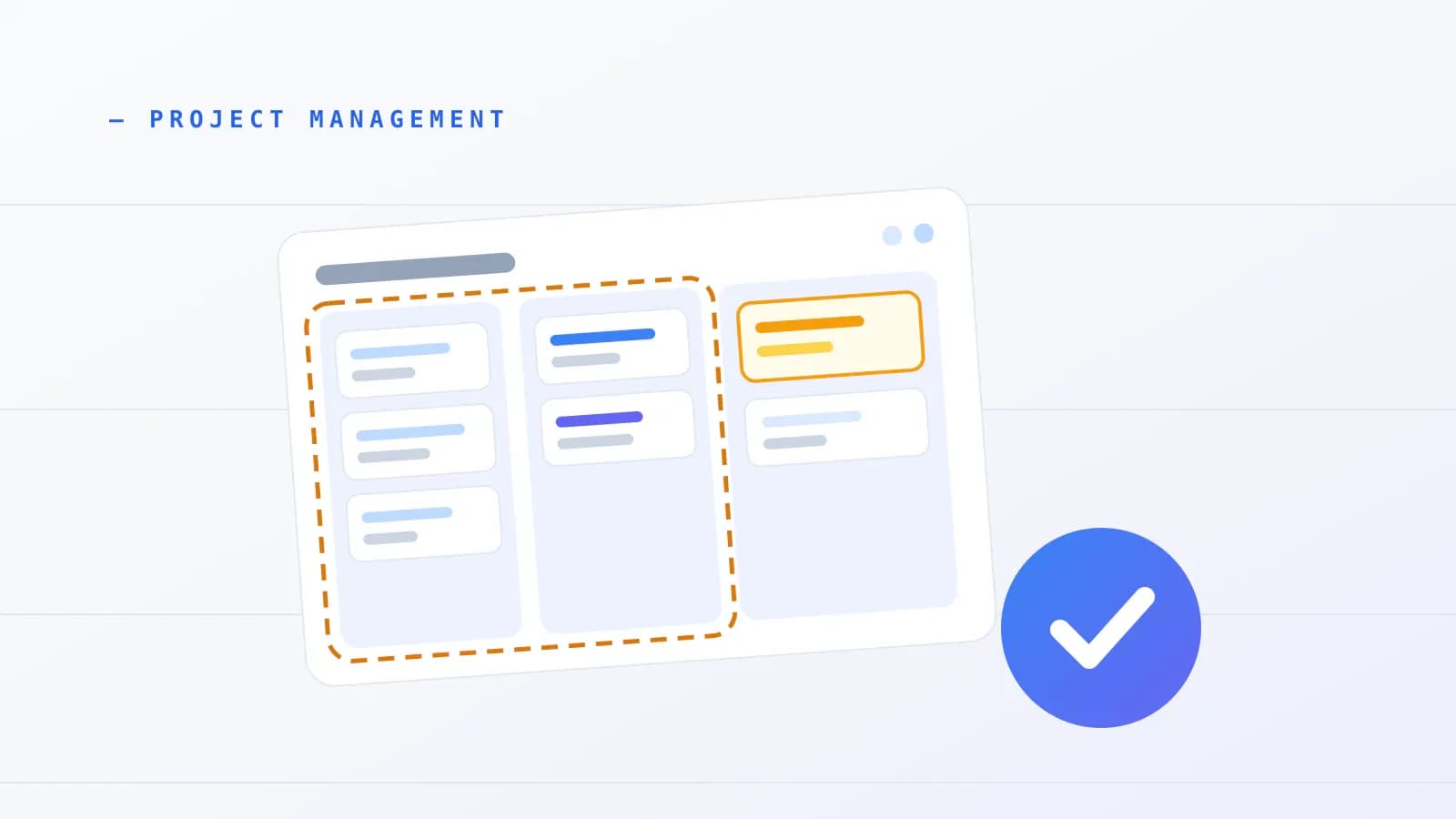
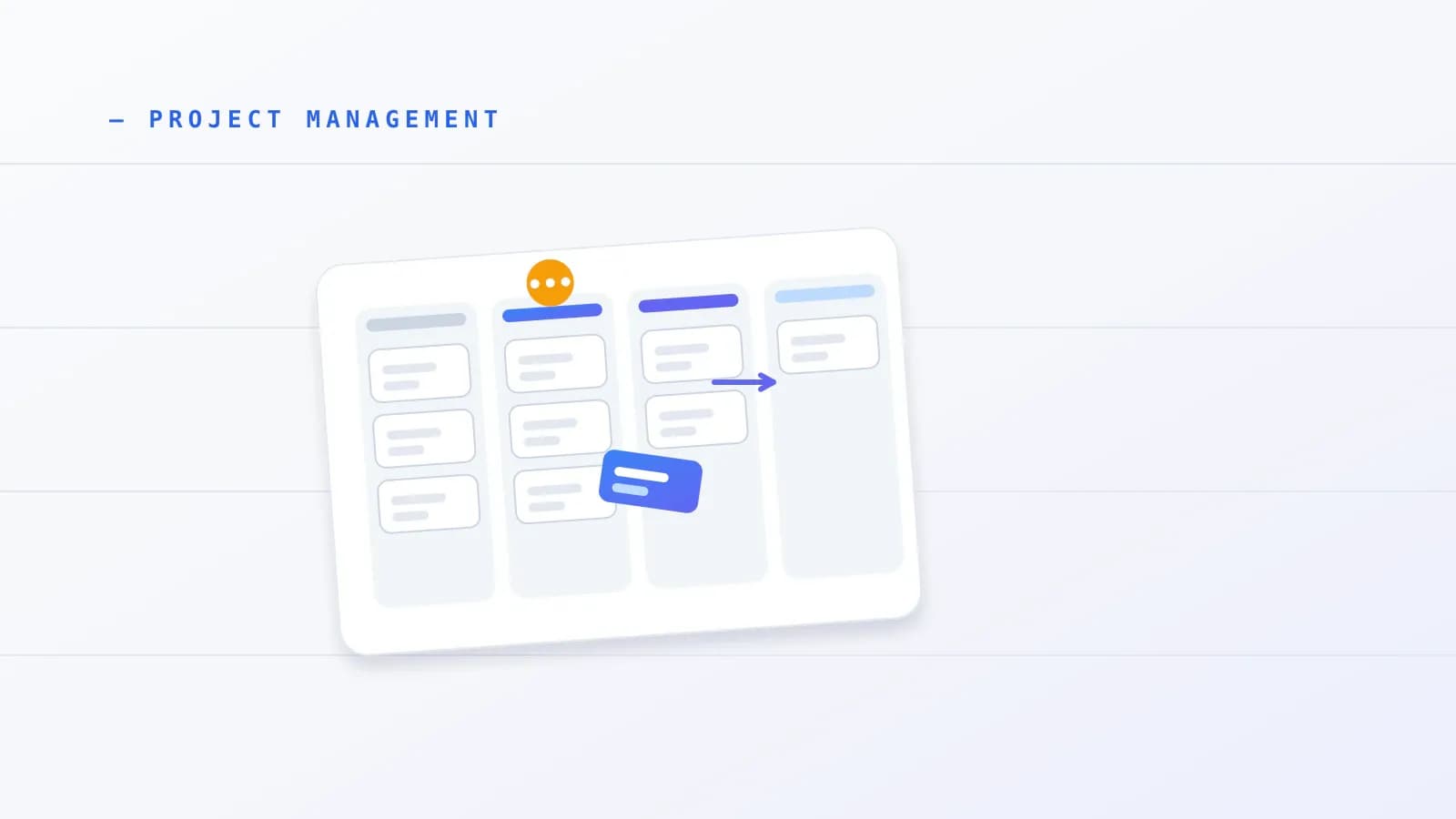
A kanban board is a map of your workflow. Columns are the stages work passes through, cards are the pieces of work, and limits stop too many cards from being active at once. In kanban board project management, the board is the shared picture everyone checks to see what is moving, what is stuck and what to pull next.
The parts of a board
- Columns are workflow stages. They can be as simple as To Do, In Progress and Done, or as specific as Review, Testing and Waiting on Client.
- Cards are work items. A card can carry a title, owner, description, due date, tags and files.
- Swimlanes are optional horizontal rows that group cards, for example by client, team or type of work.
- WIP limits cap how many cards can sit in a stage at the same time.
Work moves by pull, not push. Instead of pushing every new request into active work, a person pulls the next card into a column only when that column has an open slot below its limit. The limit forces you to finish something before you start something else.
What a definition of workflow contains
The Kanban Guide says every kanban system needs a definition of workflow with six parts:
- The work items, meaning the units of value you deliver.
- A started point and a finished point, often called the commitment point and the delivery point.
- The workflow states between those two points.
- Rules for controlling WIP.
- Explicit policies for how work moves.
- A Service Level Expectation (SLE), which states how long work usually takes and with what probability. The guide's own example is that 85% of work items will be finished in eight days or less.
The four flow metrics
The Kanban Guide (May 2025 edition) requires tracking four metrics. Scrum has no equivalent requirement, which is part of why the two feel so different in daily use.
| Metric | What it measures | What it looks like for a freelancer |
|---|---|---|
| WIP | Items started but not finished | How many client tasks are open right now |
| Throughput | The count of items finished per unit of time | Cards finished per week |
| Work Item Age | Elapsed time since an active item started | How many days this client task has sat unfinished |
| Cycle Time | Elapsed time from started to finished | How long a delivered task actually took |
Lead time is related but different. It usually counts from the moment a request arrives to the moment it is delivered, while cycle time counts only the active span. Under stable conditions, Little's Law links them: average lead time equals average WIP divided by average throughput. As a simple illustration only, five open cards and two cards finished per week would suggest an average wait of about two and a half weeks. The relationship holds only when work arrives and leaves at roughly the same rate and item ages are not trending up.
Work Item Age is the easiest of the four for a solo practitioner to use. Scan the Doing column, find the oldest card, and ask why it is still there.
A kanban board shows stage and flow, not a calendar. When you need a timeline with dependencies, a Gantt view does that job, and our guide to free Gantt chart tools and templates covers it. Kanban also sits inside broader delivery management, which what is project management explains.
Kanban best practices
Kanban best practices come down to six habits from the Kanban Method: visualize the work, limit WIP, manage flow, make policies explicit, build feedback loops, and improve through small experiments. For a beginner, the two that matter first are limiting WIP and mapping your real workflow.
The six practices
- Visualize the work, the workflow and the risks.
- Limit WIP. The shorthand is "stop starting, start finishing."
- Manage flow so work moves smoothly, rather than keeping every person busy.
- Make policies explicit so the rules do not live only in one person's head.
- Implement feedback loops, such as walking the board from right to left in a short regular meeting, plus replenishment and retrospectives.
- Improve collaboratively and evolve experimentally, using data and small, safe-to-fail changes.
Kanban University pairs these with principles: start with what you do now, pursue evolutionary change, and encourage leadership at every level, then focus on customer needs, manage the work rather than the workers, and review your policies regularly. A related method, STATIK, helps you design a board from sources of dissatisfaction, demand and delivery history, but you do not need it to start.
Map your real workflow
A generic three-column board hides delays inside In Progress. Adobe's beginner guide stresses mapping the stages your work really passes through, not an idealized template. If a deliverable always waits for review or for client feedback, give that wait its own column so you can see where cards stall.
Why WIP limits matter
A WIP limit is a cap on active cards per column, and Jim Benson, co-creator of Personal Kanban, argues that a board without one is not a kanban board. The reasoning is about attention. Research on switching between tasks points the same way, though it measured how people toggle between apps rather than how they use kanban boards.
- Murty and colleagues (Harvard Business Review, 2022, n=137) reported that knowledge workers toggled between apps about 1,200 times a day and lost roughly four hours a week, about 9% of annual work time, to reorienting.
- Mark and colleagues (CHI 2005, with a related Gallup report in 2006, n=24) observed workers staying in one working sphere for around 11 minutes before switching. After an interruption, resuming the original task took about 23 minutes and 15 seconds, measured as time until the person returned to it, not as time spent in a "fog."
- You will often see a "40% productivity loss" attributed to multitasking. It traces to an estimate by researcher David Meyer, not to a measured experiment, so do not rely on it.
These are small samples and workplace observations, not controlled proof that a specific limit works. They explain why limits are worth testing, and your own board will tell you the right number.
Kanban for several clients
The pattern that top guides miss is one person serving several unrelated clients. The rules below are decision rules built from practitioner patterns, Personal Kanban habits and The Kanban Guide. They are not benchmarks from a published freelance study, and no verified formula scales WIP limits to headcount.
| Decision | Rule | Why |
|---|---|---|
| One board or many | Use one master board with client color tags or swimlanes when one person or core group shares capacity. Add separate boards only when sub-teams work independently. | One screen shows what is due this week across every client. |
| Starting WIP | Start solo Doing at 3 cards. After one or two weeks, move to 1 or 2 for deep creative or development work, or 3 to 5 for short support tasks. | Limits context switching while matching real task length. |
| Client approvals | Give feedback and approvals a Waiting on Client column outside Doing, with a soft cap or a weekly follow-up check. | External delays do not freeze your active capacity. |
| Deadlines | Put a due date on every client card and set a simple SLE, such as 85% of standard revisions finished within 3 days. | Cards have no built-in deadline mechanics. |
The Waiting on Client column deserves its own line. In a 2024 Asana vendor survey, 83% of knowledge workers said slow approvals sometimes delay their work. The sample details were not independently verified, so read it as a pointer, not proof. Separating those waits from active work keeps one slow client from clogging your week.
Three illustrative setups follow. They are synthesized from the rules above, not published studio case studies.
- Solo designer or developer with four to six clients: one master board with Inbox / Scoped, Up Next (cap 5), Doing (WIP 2), Waiting on Client, and Delivered / Ready to Invoice. Client color tags keep every account on one screen.
- Four-person studio: one shared board with swimlanes for Fixed-Scope Builds and Monthly Retainers, and columns for Backlog, Design (WIP 2), Build (WIP 3), Internal QA (WIP 2), Client Approval and Done. The team walks the board from right to left three times a week to clear aging cards before pulling new scope.
- Solo consultant: To Do, In Progress (WIP 3), Review and Done, with hard milestone dates pinned to cards and a five-minute Friday review of finished cards to measure weekly throughput before quoting turnaround dates.
If your WIP limits keep getting exceeded, that is a signal about capacity. Our resource management guide covers planning it. If revisions keep spilling past the board, remember that revision caps belong in your client agreement, which our post on freelance contract clauses covers as general information, not legal advice. For the last column on your board, our freelance invoice template guide shows how to bill finished cards.
Five common mistakes
- Ignoring WIP limits or allowing "just this once" exceptions. Busyness gets mistaken for progress, and the active column overloads.
- Hiding work off the board. Cards kept elsewhere bypass the limits, and a board buried in a closed tab turns into a forgotten list within about two weeks.
- Over-building on day one. Too many columns, tags and estimates create friction that leads to abandonment.
- Archiving Done cards without ever looking back. You lose the history you need to spot bottlenecks and set a realistic SLE.
- Leaving out due dates. Standard kanban cards carry no deadline mechanics, so external commitments slip unless you add dates.
What the evidence says
Research on kanban in software is encouraging but limited. A 2018 structured synthesis in the Journal of Software Engineering Research and Development by dos Santos and colleagues found the strongest confidence for benefits tied to lean and kanban, notably work visibility, flow, task control and time-to-market. It named organizational culture as the main barrier and noted that published studies rarely report negative results. A case study by Ikonen and colleagues found that visualizing work does not remove waste by itself: waiting for requirement clarification or customer validation persists unless you actively manage it. Kanban University's 2022 State of Kanban Report (n=483) found 87% of respondents rated kanban more or much more effective than their previous methods. That sample is self-selected and more than four years old.
Kanban vs scrum
Scrum organizes work into fixed-length sprints of one month or less with defined roles and events. Kanban runs continuously, adds no roles and lets new priorities enter whenever a WIP slot opens. For freelancers with unpredictable client work, kanban is usually the better starting point, and the two can be combined.
The 2020 Scrum Guide by Ken Schwaber and Jeff Sutherland describes scrum as a lightweight framework built on empiricism and lean thinking. It sets three accountabilities (Product Owner, Scrum Master and Developers), five events (the Sprint, Sprint Planning, Daily Scrum, Sprint Review and Sprint Retrospective) and three artifacts, each with a commitment.
| Kanban | Scrum | |
|---|---|---|
| Rhythm | Continuous flow | Fixed sprints of one month or less |
| Roles | None required beyond the ones you have | Product Owner, Scrum Master, Developers |
| Changes mid-cycle | New work enters when a WIP slot opens | Changes that endanger the Sprint Goal are avoided, and urgent items are negotiated with the Product Owner |
| Required metrics | WIP, throughput, work item age, cycle time | None mandated by the guide, though teams often track velocity |
| Check-ins | Feedback loops and regular board reviews | Daily Scrum, Sprint Review, Sprint Retrospective |
This table corrects two common myths. Scrum does not forbid every mid-sprint conversation about scope, and the Scrum Guide does not require velocity or burndown charts. Kanban is also not free of structure, because it has its own feedback loops and metrics.
Scrum teams can borrow from kanban. Scrum.org and kanban leaders co-wrote The Kanban Guide for Scrum Teams, which recommends four practices inside scrum: visualize the Sprint Backlog workflow, limit WIP, actively manage items in progress, and inspect and adapt the definition of workflow. The aim is to stop teams starting every sprint item on day one and then failing to finish an Increment.
"Scrumban" is looser. Earlier industry surveys reported about 27% usage, but Agile Alliance and practitioner sources point out that no official Scrumban specification exists. Teams either add regular retrospectives and reviews to kanban, or add WIP limits to scrum. Digital.ai's 18th State of Agile report (October 2025) found that 74% of respondents use hybrid, blended or homegrown Agile models.
PMI's Disciplined Agile notes that scrum's preset roles and ceremonies create friction on small or split teams, while kanban starts from where you are. The trade-off is that kanban asks for more self-discipline, since it has no sprint boundary forcing a review.
For a freelancer or studio, the rule is simple. Choose kanban when you juggle several clients, unpredictable revisions or retainers. Choose scrum, or scrum with WIP limits, only for a dedicated team of three or more building one long-term product with an active Product Owner. If you want the wider map of methods, our guide to project management methodologies compares them.
How to start a kanban board in 10 minutes
You can start a working kanban board in about ten minutes with five steps: map your real columns, add only work you have committed to, set Doing to three cards, write a one-line Done rule per column, and book a five-minute review. Keep the first version small and adjust after two weeks.
- Map your actual columns. Use the stages your work really passes through, such as Inbox, Up Next, Doing, Waiting on Client and Delivered. Include Waiting on Client.
- Add only active commitments. Leave unconfirmed prospects and ideas off the board. If you are still scoping and quoting, our guide on how to price freelance work is general information, not financial advice.
- Set Doing to 3. Write the limit where you can see it. Adjust after one or two weeks.
- Write one line of Done criteria per column. For Doing, for example: deliverable uploaded, checked and review link sent.
- Book a five-minute review. Walk the board from right to left, look at the oldest card, and decide what to pull next.
Prolanze, the workspace this blog belongs to, includes a drag-and-drop kanban board with tags, file attachments and project templates, so you can set one up quickly. When a milestone finishes, it can trigger an invoice, and a project-level Gantt view covers the deadline side that cards lack. Start on the Free plan or try Pro with a 30-day trial, no card required: Start free. Any board with columns and cards works for the method itself.
If manual boards stop being enough and you need automation and reporting, our roundup of best project management software covers that step.
Putting it into practice
Use this checklist in your first two weeks:
- The board has a defined start and a defined finish for every card.
- Every column has a one-line policy written on or beside it.
- Doing holds no more than three cards.
- Waiting on Client sits outside Doing.
- Every client card has a due date.
- You check the oldest card in Doing at each review.
- You count finished cards per week before you quote a turnaround date.
- Nothing important lives off the board.
Conclusion
To define kanban simply: it is a visual, pull-based way to limit active work and finish what you start. For freelancers and small studios, that means one master board, a Waiting on Client column, a starting Doing limit of 3, written column rules and a short regular review. Start the board today, review it in two weeks and adjust the limit based on which cards aged. When you are ready to run it alongside time tracking and invoicing, you can start free on Prolanze.
Kanban inside a freelance workspace
Each Prolanze project has a kanban board for its tasks, next to the hours you log and the invoices you send for that project. That keeps the board connected to billing: a card moving to done is a prompt to check the time and invoice it. The free plan allows three active projects; pricing shows what changes on Pro.