A project update template is a fixed set of fields you fill in every reporting period, so a client gets the same clear status each time. For freelancers, nine fields cover it: header, color status with trend, short overview, outcomes, milestone dates, next steps, client asks, risks with recovery options, and budget with changes.
Most status templates are written for corporate project offices with boards and internal teams. A freelancer or small studio has a different problem: one client who wants to know what is happening, and no hours to spare writing it up. This guide gives you the field order, the status rules, the formats and three worked scenarios. It also shows where an update template meets your pricing, contract and invoice steps.
What should a project update template include?
A project update template should include the fields a client needs to judge progress and act on it: who and when, the overall status, a short overview, what finished, how dates compare with the plan, what comes next, what you need from the client, what could go wrong, and where the budget stands. Everything else is optional.
Why standardize at all? Complexity is now normal. PMI's Pulse of the Profession 2026 (May 2026) reports that 97% of surveyed professionals managed at least one complex project in the past year, and PMI describes over half of these as significantly complex. PMI also reports that roughly one-third of complex projects fail, against 13% of projects overall, and that four in five complex projects suffer negative fallout such as strategic drift or delivery disruption. These figures describe project professionals in general, not freelancers.
Time is the other cost. Secondary compilations that cite Asana, Atlassian and Microsoft research from 2025 put "busywork" at 55% of the workday and time lost searching for answers at 25%. Treat both as indicative, because the original reports were not reviewed for this guide.
One boundary matters before you start. A recurring update reports progress against a plan, week after week. A one-off write-up of a whole project is a different document: a project summary. To keep this guide's field names clear, the overview field below is called "Status overview". The dates and milestones you report should come from the baseline in your project management plan, and our project planning guide covers how to set those milestones and buffers.
With the case for a fixed layout made, the next step is the layout itself.
What are the nine fields, in order?
The nine fields run from identification to money: header, status with trend, overview, completed work, milestone variance, next steps, client asks, risks with recovery options, and budget with change log. Authoritative vendor guides, PRINCE2 highlight-report structures and freelancer frameworks converge on roughly this order, according to the sources we reviewed.
| Order | Field | Wording and format rule | Why it matters |
|---|---|---|---|
| 1 | Header and email subject | Project name, reporting period, author and client contact. Keep email subjects under 60 characters and skip vague labels such as "Update". | Subjects survive mobile truncation, and the thread stays searchable among multi-client mail. |
| 2 | Overall status and trend | Show Green, Amber or Red (or On Track, At Risk, Off Track) next to last period's rating. | Clients see at once whether health is holding or slipping. |
| 3 | Status overview | Two or three sentences, six at most: progress, main achievement, any urgent blocker. | A busy reader gets the picture in seconds without scrolling. |
| 4 | Completed work | Three or four bullets in plain client terms. No ticket numbers, hours or jargon. | Shows value delivered, not activity logged. |
| 5 | Milestone and schedule variance | Planned date, current expected date and status: achieved, upcoming or delayed. | Slippage appears early, before a launch date or a milestone invoice. |
| 6 | Upcoming work | Up to five dated priorities, with unfinished items from last week marked as carry-overs. | Works as a light commitment log and exposes repeat bottlenecks. |
| 7 | Client asks and decisions | A numbered list with exact due dates, or the line "Nothing needed this week". | Client delays are written down when they happen, not absorbed later. |
| 8 | Risks, blockers and Return-to-Green actions | Impact on scope, schedule or cost, an owner, a target date and the recovery option. | Shows control and stops manageable Amber from becoming Red. |
| 9 | Budget or retainer burn and change log | Hours or budget used against remaining, plus requested versus approved changes. | Prevents billing surprises and disputes over what the price included. |
The summary guidance on overview length differs by source. Asana's status report template advises two to three sentences, while Atlassian's status report guide caps a summary at six. Either works if you stay consistent.
Generic templates often drop five protective elements: an explicit client-asks block with deadlines, last period's status for comparison, Return-to-Green actions, a rule that escalates items carried over two weeks in a row, and a retainer-burn or change-request log. Those five are the ones that protect a freelancer's margin, so keep them even in a short email.
Status color is the field most often left vague, so it comes next.
How do you set simple RAG status rules for client work?
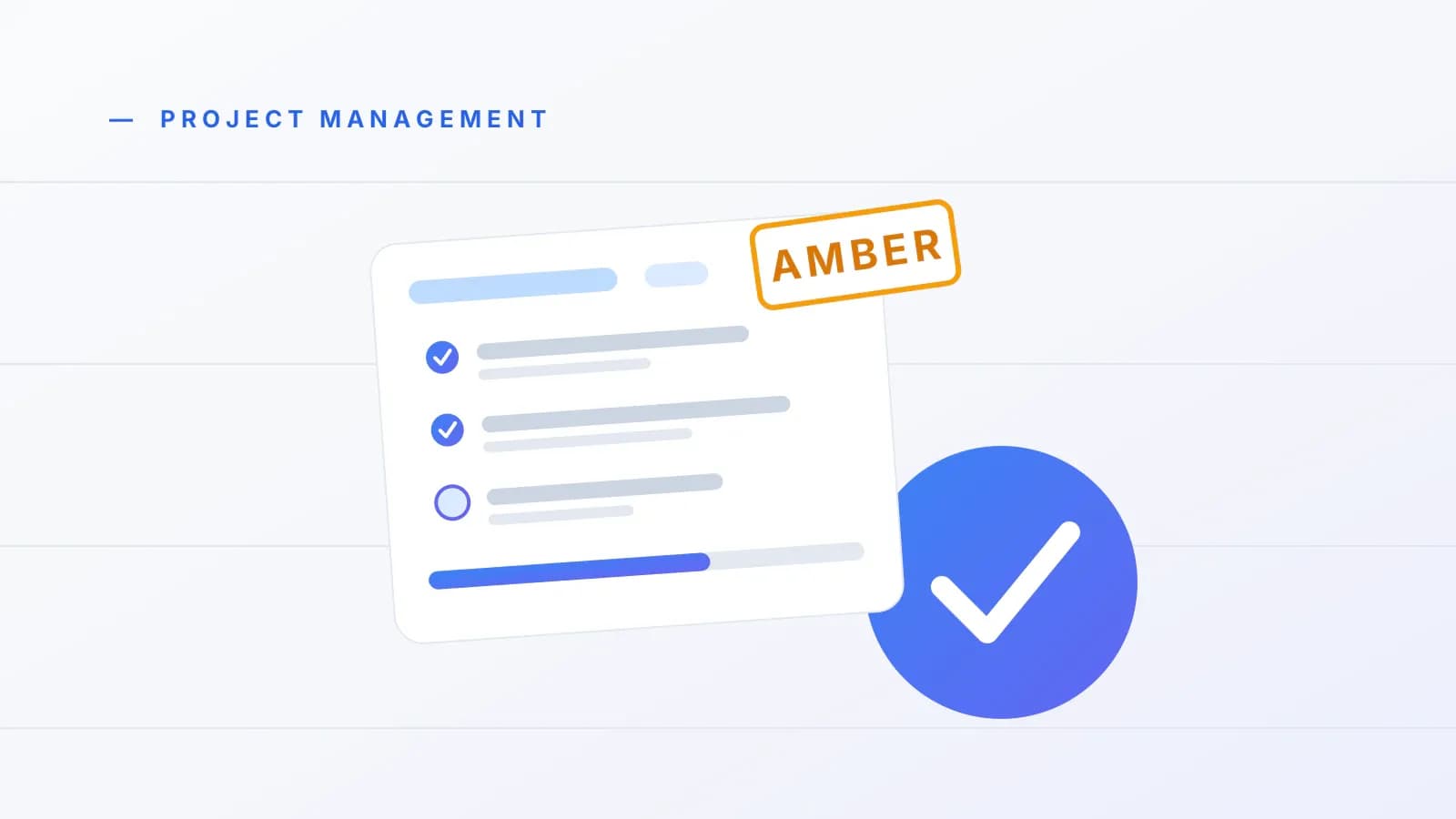
Agree three plain rules at kickoff: Green means delivery is within the agreed schedule, budget and revision scope; Amber means a risk threatens date or budget while you act on it; Red means the baseline will slip without a client decision, a scope reset or an extension. Red, Amber, Green (RAG) status is a three-color health label.
That wording follows guidance from Asana and PRINCE2 Training as summarized in the sources we reviewed. Both stress agreeing the criteria before the first update, because many templates say "assign a color" without defining one, which makes ratings drift from week to week. Agreement on the thresholds also lets the color carry meaning when a client skims.
Heavy rating systems exist, and they are worth knowing so you can skip them. A 2022 UK local-government highlight report template (King's Lynn and West Norfolk, December 1, 2022, so more than two years old) sets budget bands where Amber is under 5% over budget and Red is 5% or more over, and schedule bands where Amber means one to seven weeks late and Red eight or more. Those bands suit a multi-month public program. On a two-week client sprint they are too coarse, so use rules you can state in one sentence each.
Pair every Amber or Red with a Return-to-Green option, which is a concrete action that moves the project back on track, such as a decision the client can make by a date. The research notes that delivering bad news early, with options, builds trust. If your risk list needs more structure than one line per item, the project risk management guide shows how to build a lean register.
Rules in hand, you can now run the weekly routine.
How do you write a weekly client update in 5 to 15 minutes?
You can write a weekly client update in about 5 to 15 minutes once the template is standard and you keep a running log. Fix one send day, keep a one-line daily note, pull facts from your records, and fill the nine fields in order. These timings are vendor and practitioner rules of thumb, not measured results.
- Set audience, goal and cadence first. Tailor the detail to what the client needs: milestone health, budget impact and decisions required, not internal task chatter. Send on one predictable day, commonly Friday afternoon or Monday morning, so the client knows when news arrives.
- Keep a one-line daily log. Writing a line each day means Friday's update comes from notes, not memory.
- Pull facts from live records. Check completed tasks, milestone dates, logged hours and expenses, and any open change requests before you write.
- Lead with status and overview. Put the color and the two to three sentence overview at the top, and surface any Amber or Red warning in the opening lines, not below the good news.
- Describe outcomes, not hours. Say "pages now load faster" instead of naming a caching tool or counting debugging hours.
- Apply the carry-over rule. Put unfinished items from last week at the top of next week's priorities, marked as carry-overs. If an item carries over two weeks in a row, move it to blockers and find the cause: under-scoping, missing client input or interruptions.
- Cap priorities and isolate client asks. List five or fewer priorities, each with an owner and a date. Put every client dependency in a numbered list with a deadline, or write "Nothing needed this week".
- Check the length. A weekly email of 150 to 250 words reads comfortably, and under 200 reads better on a phone. Formal reports of one to two pages take about three minutes to read, while four or more pages tend to get skimmed.
The figures in step 8 come from vendor guides and practitioner threads with no dates, so adjust them to your own clients.
Routine weeks are easy. The hard part is what you write when the news is not good.
What do you write when news is bad, the week is slow or the client is late?
Report problems in the first lines with a recovery option, send a short honest note in slow weeks, and put client delays in a numbered ask with a date. Practitioners report that clients seldom leave over ordinary technical delays, and that they do lose trust when communication stops and they assume nothing is happening.
- Amber or Red news. State what changed, how it affects schedule, scope or cost, and your options. Offering the client a choice, with a date, beats apologizing. For the wording of a longer delay notice, see how to tell clients about schedule shifts in our guide to managing multiple projects.
- Slow, research or debugging weeks. Send the scheduled note anyway. Say plainly what you worked on, whether the next milestone date still holds, and the exact date of the next preview. A short truthful note beats silence.
- Missing client inputs. Open with Amber, name the missing item, add a numbered ask with a cutoff date and list your recovery options. For late copy and assets on site builds, see our website project management guide.
Separate your scheduled weekly update from immediate delay alerts. Commit to telling the client the moment a real date slips, and keep the weekly slot for the rest.
Content is only half the decision. The other half is the channel.
Email, Word or client portal: which format fits?
Use a plain email for active retainers and fast sprints, a 1 to 2 page Word or PDF report for monthly executive retainers and phase sign-offs, and a live client-portal link when several people on the client side need to check progress. The three also work together: the email points to the portal.
| Format | Best for | Length rule | Watch out for |
|---|---|---|---|
| Plain-text weekly email | Active retainers and fast-moving sprints where clients live in their inbox | 150 to 250 words; subject under 60 characters | Contradictory revision requests piling up in one reply chain |
| Word or PDF report | Monthly executive retainers, multi-stakeholder clients needing a formal archive, phase sign-off gates | 1 to 2 pages | Four or more pages get skimmed |
| Live client portal link | Several client stakeholders who want to check status without logging into a complex board | A link in the weekly email | Clients rarely open complex boards, so keep the view simple |
The best way to choose is by contract shape. A short email suits a client who replies within a day. A document suits a client who files things, or who needs a sign-off record before the next payment stage. Back your chosen cadence and change-request rules with written terms in your agreement, which our guide to freelance contract clauses covers as general information, not legal advice.
Word deserves a closer look, because many people search for it by name.
What goes in a project status update template in Word?
A project status update template in Word is a one-to-two page document built from the same nine fields, with the header at the top, status and overview first, and a closing block that lists what you need from the client. Word suits formal milestone sign-offs and anything the client needs to file.
One downloadable Word template reviewed for this guide (a StakeholderMap .doc file) uses five blocks: a milestone status review, the status of planned activities, an issues summary, a risk summary and an action requested. It also separates planned accomplishments from planned-but-unfinished tasks, which maps neatly onto the carry-over rule above. Map your nine fields onto those blocks and the document stays within two pages.
Three habits make a Word version more useful:
- Save dated snapshots. BrightWork's Microsoft 365 guide (January 30, 2025) separates a live, editable status tab from committed snapshot reports sent by email, which build a timeline. Keep a dated copy of each update you send.
- Put the ask last and bold. The action requested block is the part clients most often miss.
- Match the email. Reuse the same headings so the client does not relearn the layout.
Build the Word version once in your own document editor. Prolanze can hold the live side: project templates and an automatic project health status (on track, at risk, overdue) you can quote in the document.
Formats are clearer with examples, so here are three.
What does a project report sample look like for client work?
A project report sample for client work is a short, dated status report for one active project, written for the client and covering progress, dates, asks and risks. This guide uses the term only in that sense. Searches for "project report sample" also return bank loan filings and university deliverables, which are different documents.
The three scenarios below come from practitioner accounts in freelancer, agency and developer communities. They are patterns, not case studies.
| Scenario | Common mistake | Better update pattern |
|---|---|---|
| Technical sprint (Green) | Reporting raw hours or stack jargon, such as naming the caching tool used. | Lead with the business outcome in plain English, such as pages loading faster or a mobile contact-form bug fixed, and confirm the next milestone date. |
| Client-input bottleneck (Amber) | Waiting silently when logo files or copy arrive late, or burying the delay in paragraph four. | Open with Amber, name the missing asset, add a numbered ask with a cutoff date and offer recovery options. |
| Multi-revision retainer (scope protection) | Absorbing contradictory email feedback and extra feature requests inside scattered reply chains. | Log retainer hours against the budget, list requested and approved changes in a change log, say which requests fall outside the agreement and ask for a written yes before building. |
Here is the Amber scenario as a short update. It is an invented illustration with placeholders, not a real client, and the fields follow the nine-field order.
Subject: Bakery site, weekly update (Amber)

Status: AMBER (last week: Green)

Status overview: The homepage design is approved and the inner-page
templates are on track. Homepage assembly is paused because the final
logo files have not arrived. If they reach me by Thursday, the preview
date holds.

Done this week
- Homepage design approved
- Mobile contact form fixed
- Navigation structure agreed

Milestones
- Homepage preview: planned [date], now at risk
- Launch: [date], unchanged for now

Next week
1. Build inner-page templates
2. Prepare homepage assembly to start the day the files arrive

Needed from you
1. Final logo files, by Thursday
2. Yes or no on the footer wording, by Friday

Ways back to Green
A. Files by Thursday: preview date holds.
B. Files after Thursday: preview moves by the same number of days.
C. Use the draft logo now and swap it later as a small change request.

Budget and changes: [hours used] of [hours agreed]. No open change requests.
That update fits the 150 to 250 word range, leads with the color and puts every ask on a date.
The retainer case needs a closer look because it changes what you report.
How do retainer and fixed-scope updates differ?
A retainer update leads with hours used against the agreed allowance and the change log, while a fixed-scope update leads with milestone progress and date variance. Both keep the same nine fields, but the emphasis in the budget and milestone rows changes.
- Retainer: show hours or budget used against what remains, list requested and approved changes in a dedicated change log, and state which requests need extra pricing. How you price extras is covered in our guide on how to price freelance work.
- Fixed scope: show planned versus expected milestone dates, say whether a signed-off milestone is ready to invoice, and keep the budget line short. When a signed-off milestone or a monthly retainer summary becomes a payment request, our freelance invoice template guide covers the invoice itself.
Three neighboring topics deserve one sentence each. Status updates measure progress against goals set before kickoff, which our guide to a SMART goal template helps you write. Freelancers building products can map feature sprints into the milestone fields. Studios with several people should settle internal role norms before naming report owners.
How do you stop daily "any update?" messages?
Set boundaries at kickoff and point the client to a shared status link. Agree one client point of contact, one approved feedback channel and one weekly update day, then redirect mid-week pings to the link and to the next scheduled update. Practitioner threads describe constant check-ins and fragmented chat requests as a common strain.
Freelancers in those threads report clients messaging across email, direct messages and chat apps in the evenings and at weekends, and clients who rarely log into complex project boards. The practical fix is plain: a zero-login link for status, an email for the weekly summary and a single channel for feedback. Put the channel and cadence in your client agreement as well, as general information, not legal advice.
If you need more than the weekly slot, promise an immediate alert whenever a real date slips. That way "no news" actually means no problem.
How can Prolanze support client project reporting?
Prolanze makes a workspace for freelancers and small studios, so weigh this section accordingly. It does not write your update for you, and the layout above works in any tool. In Prolanze, these features map to the steps:
- Baselines. Project templates, tasks, milestones, a project-level Gantt view and scope items with revision limits give you dates and boundaries to report against.
- Health at a glance. Each project shows automatic project health (on track, at risk or overdue) beside the Kanban board and Gantt chart.
- Hours and budget. A timer, manual entries and a billable flag record time, and budgets versus actual and profitability per project show burn.
- Client visibility. Clients open invoices from a private link, with no login, so the money side is always in one place. Project updates still go by email or a shared document.
- Resolution calls. A public booking link, with availability rules and Google and Outlook calendar connections, lets a client book a call from an Amber or Red note.
- Payment. Milestones can trigger an invoice, and time entries convert into invoices.
If you use an AI assistant through Prolanze's agent layer (MCP), free tokens are read-only and Pro tokens can write, and a confirm-token step runs before anything that sends an email. Review any drafted update before it goes out.
Every new account gets a 30-day Pro trial with no card required, so you can try the workflow on a live project: start free or see pricing.
Putting it into practice
Use this checklist before you send your first update:
- Copy the nine fields into one master template.
- Write your Green, Amber and Red rules in one sentence each.
- Choose one send day and tell the client.
- Keep a one-line daily log all week.
- Lead with status and a two to three sentence overview.
- Describe outcomes in client language, not hours or jargon.
- Number every client ask and give it a due date, or write "Nothing needed this week".
- Pair every Amber or Red item with a way back to Green.
- Mark carry-overs, and escalate any item carried over two weeks in a row.
- Save a dated copy of each update you send.
Conclusion
A good project update template is short, consistent and honest: nine fields, three agreed colors, a numbered list of client asks and a recovery option for every problem. Pick your format for each client, keep a daily log and send on the same day each week. Your next step is to build the master template today and send the first update this Friday. If you want the projects, hours and invoices in one place, you can start free in Prolanze and use the 30-day Pro trial, no card required.
Pulling the numbers for a status report
A client status report needs three numbers: hours logged, what was invoiced, and what is next. In Prolanze they are already on the project. If you use Claude, you can ask it to summarise last week's logged hours by project; on the free plan the connection is read-only, so it can report but not change anything. How the MCP server works explains the approvals, and time tracking covers how hours are recorded.